An employer pays $12,000 toward an employee’s adoption expenses. Later, another $7,000 is reimbursed after additional legal and travel costs are approved.
The employee’s Form W-2 eventually shows Code T: $19,000.
That may look wrong because the 2026 federal adoption-assistance exclusion is $17,670. But Code T is not simply a box showing the tax-free portion.
Employers generally report qualifying adoption-assistance payments made or reimbursed under the program in Box 12 using Code T, even when the total is above the federal exclusion.
Understanding that difference can prevent a common W-2 reporting mistake.
What Is Employer Adoption Assistance?
An employer adoption-assistance program is a written benefit plan that helps employees pay qualified expenses connected with adopting an eligible child.
The program may reimburse adoption fees, court costs, legal expenses, travel costs and other qualifying expenses under federal rules.
It is not the same as giving an employee a normal bonus.
The written plan matters, and the employer must follow federal requirements, including rules designed to prevent the benefit from unfairly favoring highly compensated employees.
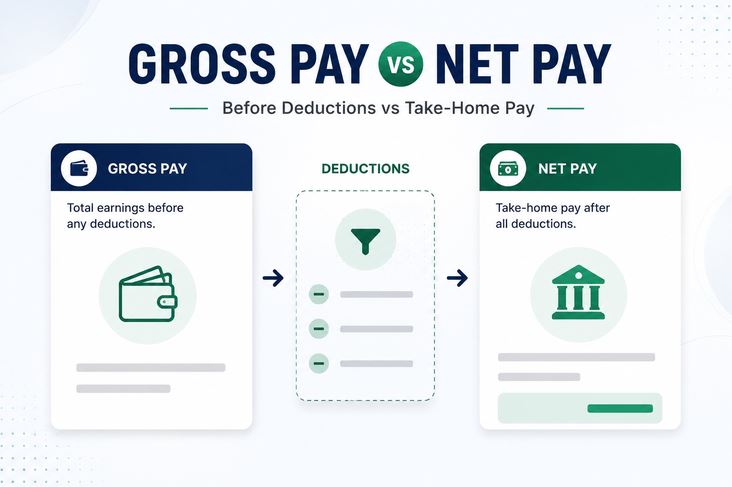
From a payroll perspective, adoption assistance should also be kept separate from ordinary earnings. The ePaystubs guide to gross pay versus net pay can help employees understand why a benefit may affect taxable wages without increasing take-home pay by the same amount.
The 2026 Exclusion Is $17,670
For 2026, the maximum amount that can generally be excluded from an employee’s gross income for qualifying employer-provided adoption assistance is $17,670 per eligible child, subject to the applicable income limits and other requirements.
Suppose an employer reimburses $10,000 of qualifying adoption expenses.
If the employee otherwise qualifies, that amount may fall within the federal exclusion.
Now suppose the employer reimburses $20,000.
The full $20,000 does not automatically become tax-free simply because it came through an adoption-assistance program.
The exclusion has a limit.
Payroll therefore needs to distinguish between the total benefit provided and the amount that may ultimately qualify for exclusion.
Code T Can Still Show $20,000
This is the part that causes confusion.
The employer generally reports qualifying adoption-assistance payments in Form W-2 Box 12 using Code T.
That reporting amount can be higher than $17,670.
For example:
Box 12 Code T: $20,000
can be correct even though the federal exclusion is $17,670.
Code T reports the adoption benefit provided by the employer. It does not guarantee that every dollar is excluded from the employee’s federal income.
The employee generally determines the final treatment when completing the federal tax return.
Employees who want to understand other Box 12 entries can review the ePaystubs guide to W-2 boxes and Box 12 codes.
Federal Income Tax and FICA Treat the Benefit Differently
Another important point is that federal income tax and payroll taxes do not necessarily treat adoption assistance the same way.
Qualifying employer-provided adoption assistance can generally be excluded from wages subject to federal income tax withholding when the requirements are satisfied.
However, Social Security and Medicare taxes can still apply.
Imagine an employer reimburses an employee $5,000 for qualifying adoption expenses.
Federal income tax withholding may not apply to the qualifying excluded benefit.
Social Security and Medicare taxes may still be calculated on the amount.
That can make the paycheck look strange.
An employee may wonder why no additional federal income tax was withheld while Social Security and Medicare deductions increased.
The ePaystubs guide to FICA on a pay stub explains why these taxes can follow different wage rules.
Why Code T May Not Match Box 1
This difference also explains why Form W-2 boxes do not always match.
Code T reports the adoption-assistance benefit.
Box 1 reports federal taxable wages.
Box 3 reports Social Security wages.
Box 5 reports Medicare wages.
Because qualifying adoption assistance may receive one treatment for federal income tax and another treatment for Social Security and Medicare taxes, the same benefit can affect those boxes differently.
Payroll teams should not assume that Box 1, Box 3 and Box 5 must always be identical.
The ePaystubs guide to taxable wages and W-2 box differences can help explain why these amounts sometimes differ.
The Plan Cannot Mainly Benefit Owners
A qualifying adoption-assistance program has nondiscrimination rules.
The employer cannot simply create a plan that exists mainly to reimburse owners, shareholders or highly compensated employees.
This is especially important for small and closely held businesses.
Benefits and eligibility should follow the written plan, and payroll should keep the supporting documentation with the reimbursement records.
A payment labeled “adoption reimbursement” is not automatically entitled to favorable federal treatment.
The plan itself must qualify.
Special Rule for S Corporation Shareholders
More-than-2% S corporation shareholders can receive different fringe-benefit treatment.
For adoption-assistance purposes, a more-than-2% shareholder generally is not treated the same way as an ordinary employee for the exclusion.
This can easily be missed because the shareholder may receive a W-2 and appear in payroll like every other employee.
Before processing an adoption reimbursement for an owner or shareholder, payroll should verify ownership status rather than assuming the normal employee rules apply.
Adoption Assistance Is Not the Same as the Adoption Credit
Employer adoption assistance and the individual adoption tax credit are connected, but they are not the same benefit.
For 2026, the federal adoption credit also uses a maximum qualified-expense amount of $17,670, subject to the applicable rules.
An employee cannot simply use the same expense twice to receive both a tax-free employer benefit and an adoption credit.
Form 8839 is generally used to determine the adoption credit and the treatment of employer-provided adoption benefits.
Payroll’s job is to report the employer benefit correctly.
The employee’s tax return determines the final personal tax result.
Keep the Records During the Year
Employers should keep the written adoption-assistance plan, employee eligibility information, reimbursement requests and documentation supporting qualified expenses.
Do not wait until W-2 season to determine the Code T amount.
Track reimbursements as they happen.
At year-end, compare the amount the employer paid with the Code T total and verify that Social Security and Medicare wages were handled properly.
The ePaystubs guide to current and YTD amounts on a pay stub can also help employees understand how benefits and payroll taxes accumulate during the year.
Employers preparing year-end wage records can use the ePaystubs W-2 form generator after all payroll figures have been reconciled.
I hope you find the blog useful. Thanks for reading this blog.


